Traditional Rendering Still Has a Clear Role
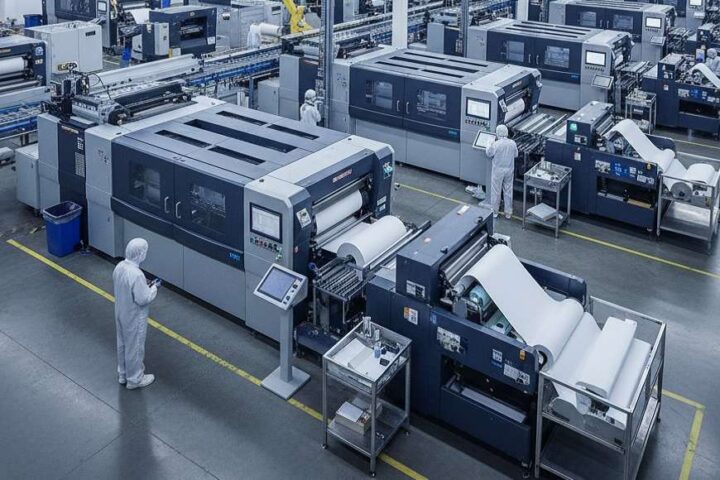
Traditional rendering remains central to architectural visualization because it offers a high level of control. Most workflows begin with a developed 3D model and continue through material assignment, lighting setup, camera framing, render settings, and post-production. That structure still works well for final presentations, competition visuals, and marketing imagery where consistency matters across the full set.
A conventional pipeline is especially useful when reflections, texture scale, shadow quality, and composition need to be refined with precision. Final-stage images often depend on that level of control. The main limitation is not image quality, but the amount of setup required to produce it.
Conventional Workflows Tend to Slow Down Design Development
Architectural projects rarely move forward in a fixed sequence. Facade studies shift, interiors are revised, and material direction often changes several times before the scheme settles. Conventional rendering workflows can become difficult to manage at that stage because each revision tends to affect several parts of the visual setup.
A single image may require clean geometry, mapped materials, entourage, balanced lighting, test renders, and post-production before it is ready for review. Most of the delay usually comes from that preparation rather than the render itself.
For that reason, many teams delay rendering until the project becomes more stable. Visual feedback arrives later than it could, and important design discussions often continue through drawings, screenshots, and verbal explanation before the project is properly visualized.
ArchiVinci Brings Rendering Earlier Into the Process
ArchiVinci changes that sequence by making rendering useful much earlier in the project timeline. Architects and designers can work from sketches, floor plans, model screenshots, and reference images without waiting for a fully polished rendering scene.
That shift matters because early design depends more on comparison than perfection. A facade study may need several material directions. An interior concept may require different moods, lighting conditions, or furnishing approaches before the spatial character becomes clear. A workflow that supports those tests early is often more aligned with the way projects actually develop.
Rendering begins to support design development rather than appearing only after the design has already been resolved.
Faster Output Improves Review Cycles
Speed matters in visualization because it affects how many options a team is willing to test. Long render cycles usually reduce comparison. Once image production becomes faster, more alternatives can be explored within the same design window.
ArchiVinci shortens the distance between input and image. That makes it easier to compare facade options, study material direction, test interior moods, or review furnishing ideas without rebuilding a full rendering setup each time.
The main advantage is not speed alone. Stronger visual feedback leads to better internal reviews, clearer client conversations, and faster alignment around the right design direction.
Architectural Use Still Depends on Accuracy
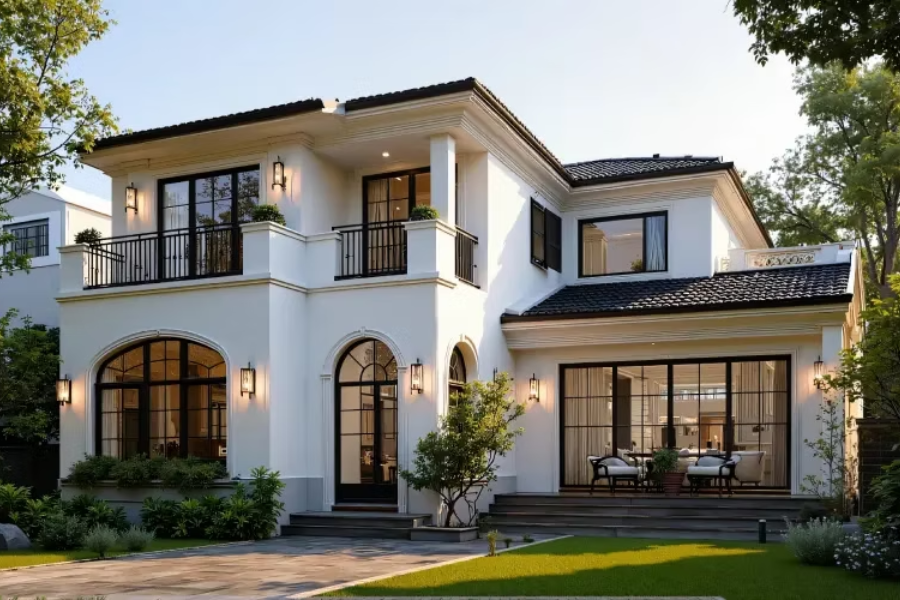
Fast output only matters if the image remains tied to the project. Architectural visualization depends on more than atmosphere. Geometry needs to stay legible, proportions need to hold, and materials need to read in a believable way.
That is where ArchiVinci becomes more useful than a generic image tool. Precise textures, strong photorealism, and careful geometry retention make the output more relevant in practice. A visually striking image that distorts massing, loses facade rhythm, or invents surface logic may still look appealing, but it becomes far less valuable as a design image.
A useful rendering workflow needs to do more than create mood. It needs to protect the architectural reading of the project while still making the image persuasive.
A Broader Range of Inputs Makes the Workflow More Practical
Traditional rendering usually depends on a resolved 3D scene before meaningful visuals can be produced. ArchiVinci works with a broader set of inputs, which makes it easier to use earlier and more often.
Teams can begin from:
- Sketches
- 3D model views
- Images
- Floor plans
- Masterplans
That flexibility matters because early design is often incomplete by nature. Geometry may still be schematic. Materials may still be under discussion. Camera positions may not yet be fixed. Visual communication, however, often needs to begin before all of those parts are fully resolved.
A lower threshold between concept production and visual output makes rendering easier to integrate into the actual pace of design work.
One Platform Across Different Stages of Representation
Architectural work rarely stays in one representational mode from start to finish. A concept may begin as a sketch, move into a model view, then require edits, upscaling, alternative versions, lighting studies, rotated outputs, or animation for presentation. The same project may also need interior perspectives, exterior studies, landscape visuals, floor plan imagery, masterplans, and furnished real estate scenes.
ArchiVinci brings that range into one environment. The workflow can extend across sketch, 3D model, edit, upscale, variations, animation, rotate render, landscape, interior, exterior, real estate room furnishing, lighting, masterplan, and floor plan workflows.
That breadth matters because architectural teams do not work in isolated image categories. Representation shifts with the stage of the project, the client conversation, and the design question being tested. A more continuous environment reduces tool switching, repeated setup, and breaks in workflow.
Useful Across Interior and Exterior Workflows
Interior and exterior visualization usually require different kinds of judgment. Interior work often focuses on atmosphere, finish selection, furnishing logic, and the balance of natural and artificial light. Exterior work tends to depend more on facade rhythm, massing, context, and landscape character.
ArchiVinci fits naturally into both sides of that process. In interior workflows, it supports mood studies, finish direction, furnishing variations, and room-level presentation visuals often associated with AI interior design module. In exterior workflows, it is equally relevant for facade studies, contextual atmosphere, landscape framing, and early presentation imagery often grouped under AI exterior design.
A lighter workflow is useful in both cases because it allows designers to compare more options without rebuilding the entire visualization setup each time.
Lower Technical Overhead Changes Access
Rendering has traditionally depended on capable hardware, local setup, and enough machine power to support production at speed. Smaller studios and independent architects often feel that requirement more directly than larger visualization teams.
ArchiVinci reduces part of that burden by removing the need for local GPU setup. A browser-based workflow changes the process in a practical way. Less time goes into infrastructure, and more time remains with design and review.
That kind of access makes visualization easier to integrate across different office sizes and team structures. Rendering becomes less tied to specialist hardware and easier to fold into everyday practice.
Flexible Access Fits Different Studio Needs
Architectural teams do not all use visualization tools in the same way. Some need continuous access across multiple projects. Others need it during a competition, a presentation phase, or a shorter design cycle.
ArchiVinci reflects that reality by offering both recurring and short-term access. Studios that need an ongoing workflow can work with subscription plans, while teams facing a defined presentation window or a competition deadline can choose shorter access periods instead. The structure is broad enough to suit both individual users and multi-user teams.
That kind of flexibility matters in practice. Visualization demand rarely follows one fixed schedule, and access models are more useful when they can adapt to different project rhythms rather than forcing every office into the same pattern.
Rendering Moves Closer to Design Thinking
The larger change is not only that images are produced faster. Rendering becomes easier to use throughout the design process rather than only at the end of it.
Architects can use ArchiVinci earlier to compare facade options, test interior atmosphere, study landscape direction, review furnishing strategies, and communicate intent more clearly across the life of a project.
Traditional rendering still matters when final outputs require exact control and repeatable precision. ArchiVinci is more valuable in the stages where speed, flexibility, and clarity shape the quality of design decisions.
Stay in touch to get more updates & news on Daily!