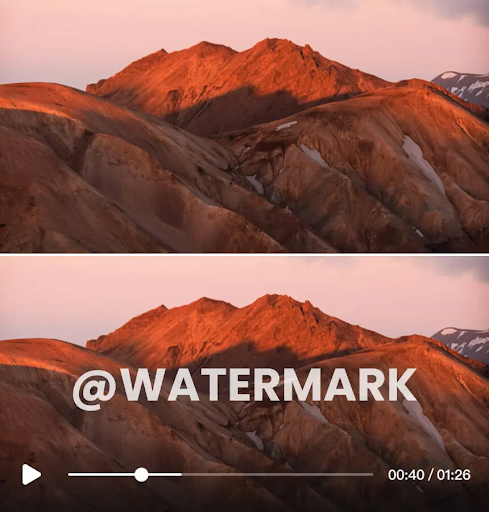
Finding the right tool to remove watermarks from videos can be a major headache. You need a clean, professional-looking final cut, but you also need it done quickly. Two popular options are VideoWatermarkRemover.ai and SnapTik, but they serve very different purposes. One is a powerful, AI-driven editor for any video, while the other is a specialized tool for a single platform.
This guide breaks down the differences between them. We’ll explore their features, performance, and ideal uses to help you decide which tool can clean your videos faster and more effectively. By the end, you’ll know exactly which one fits your workflow.
VideoWatermarkRemover.ai: An Overview
VideoWatermarkRemover.ai is a comprehensive tool designed to erase watermarks from any video source. It uses artificial intelligence to analyze and remove unwanted logos, text, or stamps without leaving behind blurry spots or awkward artifacts. The platform is built for users who need a versatile solution for various video types, not just content from a single social media app. It provides a robust Video Watermark Remover that works on videos you may have saved on your computer or downloaded from multiple online sources.
The core technology focuses on precision. The AI identifies the watermark and intelligently reconstructs the pixels underneath it, creating a seamless result that looks natural. This makes it a great choice for professionals, marketers, and content creators who handle a wide range of video content and demand high-quality output.
Key Features
* AI-Powered Removal: The tool’s algorithm automatically detects and removes watermarks. You don’t need to manually select the area, which saves time and improves accuracy.
* Broad Platform Support: It works with videos from any platform, including social media, stock footage sites, and personal recordings. This flexibility is its main advantage.
* High-Quality Output: It maintains the original video quality during the removal process, so you don’t have to worry about a pixelated or degraded final product.
* Specialized AI Models: The platform also offers tools designed for specific, challenging watermarks. The Sora Watermark Remover is a great example, built to handle complex watermarks from AI-generated videos.
* User-Friendly Interface: The process is simple. You upload your video, the AI does its work, and you download the clean version. No technical editing skills are required.
Pros & Cons
Pros:
* Removes watermarks from any video source.
* AI technology provides a clean, professional finish.
* Preserves the original video resolution and quality.
* Simple drag-and-drop interface is easy for beginners.
* No need for manual editing or selection.
Cons:
* Processing time can vary depending on video length and complexity.
* Requires an internet connection as it is a web-based tool.
Best For
VideoWatermarkRemover.ai is best for users who need a flexible and powerful tool for a variety of video types. This includes social media managers repurposing content from multiple platforms, video editors cleaning up client footage, and marketers who need to remove branding from stock videos. If you work with more than just TikTok videos, this is the superior all-in-one solution.
SnapTik: An Overview
SnapTik is a very different kind of tool. It’s not a general video editor but a specialized downloader for TikTok videos. Its primary function is to save TikTok videos to your device without the platform’s default watermark. You simply copy the link of the TikTok video, paste it into SnapTik, and the tool fetches a clean version for you to download.
It’s extremely popular among users who want to save or share TikToks on other platforms like Instagram Reels or YouTube Shorts without the distracting logo. Because it downloads the video directly from the source before the watermark is applied, the removal process is flawless. However, its functionality is entirely limited to the TikTok platform. You cannot upload a video from your computer to have a watermark removed.
Key Features
* TikTok-Specific Downloader: Exclusively designed to download TikTok videos without the watermark.
* Link-Based Operation: Works by pasting the video URL, making the process quick and straightforward.
* Multiple Download Options: Often provides options to download the video in different formats or as an MP3 audio file.
* No Software Installation: It is a web-based tool that you can access from any browser on your desktop or mobile device.
* Free to Use: The service is generally free, though it is supported by on-page advertisements.
Pros & Cons
Pros:
* Extremely fast for downloading TikTok videos.
* Perfectly removes the TikTok watermark every time.
* Free to use.
* Very simple and easy for anyone to use.
* Works on both mobile and desktop browsers.
Cons:
* Only works for TikTok videos.
* Cannot remove watermarks from any other video source.
* Website often contains a lot of ads.
* Dependent on TikTok’s platform structure to function.
Best For
SnapTik is the perfect tool for social media users, content curators, and creators who focus exclusively on TikTok. If your only goal is to download a TikTok video without its watermark to watch offline or repost on another platform, SnapTik is the fastest and easiest way to do it. It’s a single-purpose tool that executes its one job perfectly.
Side-by-Side Comparison
To help you choose, let’s compare VideoWatermarkRemover.ai and SnapTik directly on the features that matter most.
| Feature | VideoWatermarkRemover.ai | SnapTik |
| Primary Use Case | Removes watermarks from any video | Downloads TikTok videos without a watermark |
| Supported Platforms | All video platforms and local files | TikTok only |
| Removal Technology | AI-based pixel reconstruction | Downloads the source video before the watermark is added |
| Speed | Depends on video length and AI processing | Nearly instant for downloading short videos |
| Output Quality | Maintains original video quality | Perfect, original source quality |
| Ease of Use | Very easy; upload and download | Extremely easy; copy and paste a link |
| Versatility | Highly versatile for all video types | Not versatile; single-platform use only |
| Cost | Offers free and premium plans | Free (ad-supported) |
Final Recommendation
So, which tool cleans videos faster? The answer depends entirely on your needs.
If “faster” means quickly saving a TikTok video without its logo, SnapTik is the undisputed winner. It’s a specialized tool that performs its single function almost instantly. For content creators and social media enthusiasts who live on TikTok, its speed and simplicity are unmatched.
However, if your work involves removing watermarks from a variety of sources, such as stock footage, client videos, or content from platforms other than TikTok, then VideoWatermarkRemover.ai is the clear choice. While the AI processing might take a minute, its versatility and high-quality results make it an essential tool for any serious video professional or marketer. It’s an all-in-one solution that handles virtually any watermark removal task you throw at it.
Choose VideoWatermarkRemover.ai if:
* You need to remove watermarks from various video sources.
* You value high-quality, AI-powered editing.
* You need a versatile tool for professional or marketing purposes.
Choose SnapTik if:
* You only need to remove watermarks from TikTok videos.
* Your top priority is download speed for TikToks.
* You want a simple, free tool for a single purpose.
Stay in touch to get more updates & news on Daily!