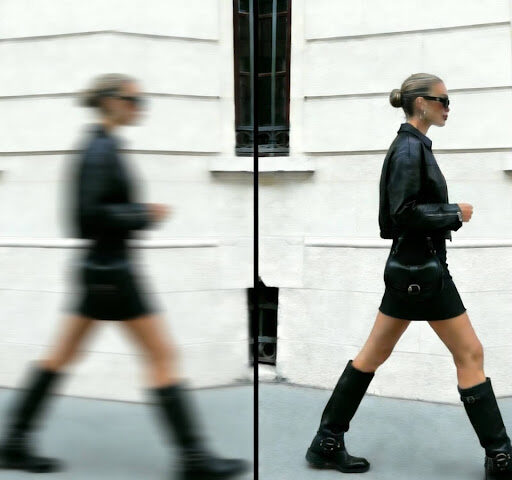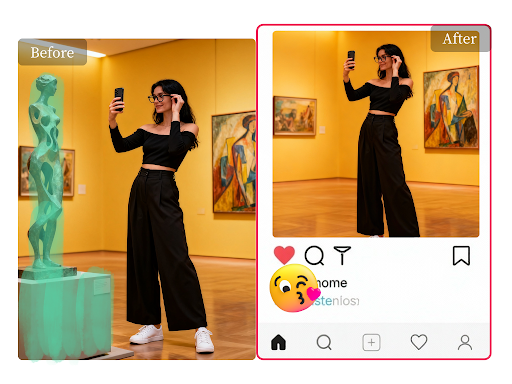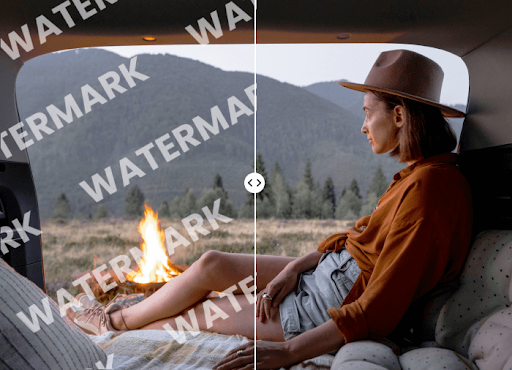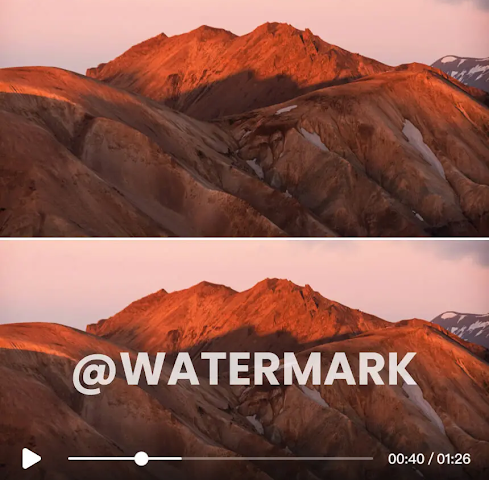
A blurry photo can ruin a perfect memory. You might have captured a once-in-a-lifetime moment, but motion blur or a slight focus issue made it unusable. Thankfully, AI photo enhancers can rescue these images, turning fuzzy pictures into sharp, clear keepsakes. Two popular names in this space are UnblurImage.ai and Remini.
While both tools promise to improve your photos, they work differently and serve different needs. UnblurImage.ai is a specialized web tool focused on powerful deblurring, while Remini is a mobile app known for all-around enhancements. This guide breaks down their features, strengths, and weaknesses to help you decide which one is right for you.
UnblurImage.ai: The Precision Specialist
UnblurImage.ai is a browser-based tool designed with one primary goal, to fix blurry photos with incredible accuracy. It uses advanced AI algorithms to analyze and correct various types of blur, from motion trails to out-of-focus shots. Its straightforward interface makes it accessible to everyone, regardless of technical skill. You don’t need to download any software, just upload your photo and let the AI work its magic.
The platform is engineered to handle common photography problems effectively. If you have a photo that’s slightly out of focus or suffering from camera shake, you can use the core Unblur Image tool to bring details back to life. This makes it an excellent choice for photographers who need a quick and reliable fix without navigating complex editing software.
Key Features
UnblurImage.ai’s strength lies in its specialized feature set. The tool isn’t cluttered with unnecessary extras, focusing instead on delivering high-quality results for its core purpose. The AI can intelligently identify the type of blur and apply a targeted correction, which often results in more natural-looking images.
One of its most impressive capabilities is its Old Photo Restoration feature. This tool goes beyond simple sharpening to repair scratches, fix color fading, and enhance facial details in aged photographs. It breathes new life into historical family albums, preserving precious memories for future generations. The process is almost entirely automated, making professional-grade restoration accessible to anyone.
Pros and Cons
Pros:
* Highly Specialized: Excels at fixing motion blur and focus issues with precision.
* Web-Based Convenience: No need to install software, accessible from any computer with an internet connection.
* Simple User Interface: Extremely easy to use with a clear, step-by-step process.
* Natural Results: Tends to produce sharp images without the overly processed look some enhancers create.
Cons:
* Limited Scope: Primarily focuses on unblurring and restoration, lacking broader editing tools like filters or text overlays.
* Requires Internet: Being web-based means you need a stable internet connection to process images.
Best For
UnblurImage.ai is the ideal solution for photographers, hobbyists, and anyone whose main goal is to fix blurry images with high fidelity. It’s also perfect for individuals working on genealogy projects or restoring old family photos who need a powerful, dedicated tool for the job. If you value simplicity and precision over a wide range of creative features, this is the tool for you.
Remini: The All-in-One Mobile Enhancer
Remini is a popular mobile application that has gained a massive following for its ability to enhance photos and videos with a single tap. Unlike the specialized nature of UnblurImage.ai, Remini offers a broad suite of AI-powered tools. It can unblur faces, improve video quality, colorize black-and-white photos, and apply artistic effects.
Its convenience as a mobile app makes it a go-to for social media users who want to quickly improve their pictures before posting. The app is known for producing dramatic, often striking results that make portraits and selfies pop. It’s an all-in-one solution for people who want to handle all their photo enhancement needs directly from their phone.
Key Features
Remini’s feature set is extensive. Its core “Enhance” function sharpens details, reduces noise, and improves overall image quality, with a particular focus on faces. The app also includes a video enhancer, which is a unique feature not offered by many competitors.
Other notable features include an AI photo colorizer, portrait mode effects that add a DSLR-like background blur, and various artistic filters. Remini often works on a freemium model, offering a certain number of free enhancements per day, with a subscription unlocking unlimited access and more advanced features. This makes it easy for new users to try before committing.
Pros and Cons
Pros:
* Versatile Toolset: Offers a wide range of features beyond unblurring, including video enhancement and colorization.
* Mobile Convenience: Perfect for editing photos on the go, directly from your smartphone.
* Dramatic Results: Creates sharp, vibrant images that are well-suited for social media.
* Free Tier Available: Allows users to test the app’s core functionality without a subscription.
Cons:
* Can Over-Process: The AI can sometimes be aggressive, leading to an unnatural or “airbrushed” look.
* Ads and Limitations: The free version includes ads and daily limits, which can interrupt the workflow.
* Less Control: Offers less manual control over the enhancement process compared to desktop software.
Best For
Remini is best for social media influencers, casual users, and anyone who wants a powerful, all-in-one enhancement tool on their phone. If your priority is quickly making your selfies and portraits look stunning for Instagram or TikTok, Remini is an excellent choice. It’s also great for users who want to experiment with different AI effects, like colorization and video enhancement, within a single app.
Side-by-Side Comparison
To make the choice clearer, here’s a direct comparison of UnblurImage.ai and Remini across several key categories.
| Feature | UnblurImage.ai | Remini |
|— |— |— |
| Primary Function | Precision photo deblurring & restoration | All-in-one photo & video enhancement |
| Platform | Web-based (Desktop) | Mobile app (iOS & Android) |
| Ease of Use | Extremely simple, drag-and-drop | Simple, one-tap interface |
| Best Use Case | Fixing out-of-focus or motion-blurred photos | Enhancing selfies and social media content |
| Key Strength | Natural-looking, accurate blur correction | Versatility and dramatic portrait enhancement |
| Extra Features | Specialized old photo restoration | Video enhancement, colorization, AI avatars |
Final Recommendation
So, which tool should you choose? The answer depends entirely on your needs.
Choose UnblurImage.ai if:
Your main problem is genuinely blurry photos caused by focus errors or camera shake. You value precision and want your corrected images to look as natural as possible. You primarily edit on a computer and prefer a simple, dedicated tool that does one thing exceptionally well. It’s the surgeon’s scalpel for fixing blur.
Choose Remini if:
You want a versatile mobile app that can handle a variety of enhancement tasks. Your focus is on improving portraits and selfies for social media, and you enjoy the dramatic, sharp look it produces. You appreciate the convenience of an all-in-one solution on your phone and don’t mind a subscription model for unlimited access. It’s the Swiss Army knife for mobile photo editing.
Ultimately, both UnblurImage.ai and Remini are powerful tools that leverage AI to produce impressive results. UnblurImage.ai stands out for its focused precision and quality, making it the superior choice for true photo correction. Remini excels in convenience and versatility, making it a favorite among mobile-first creators. By understanding their core strengths, you can pick the perfect tool to bring your photos back to life.
Stay in touch to get more updates & news on Daily!