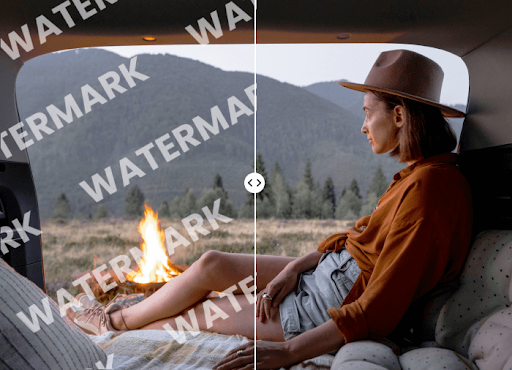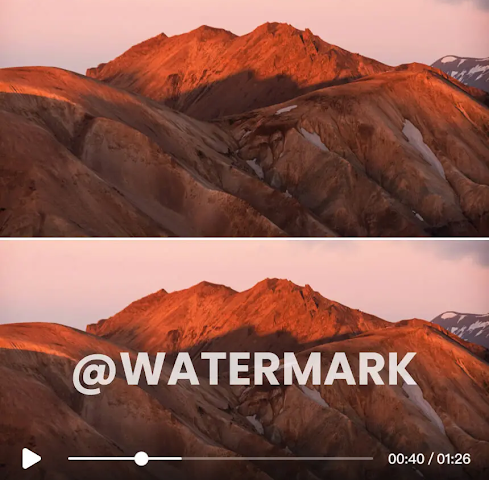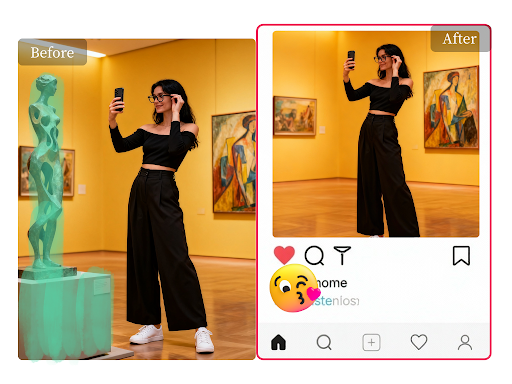
Removing unwanted objects from photos used to be a complex task reserved for professionals. Today, AI-powered tools make it possible for anyone to clean up their images in seconds. Two of the most popular options are Magic Eraser and Adobe Photoshop’s Generative Fill. But which one truly delivers the best results for your needs?
This guide breaks down the key differences between these two powerful tools. We’ll compare their features, ease of use, quality, and cost to help you decide which is the right choice for your photo editing workflow. Whether you’re a marketer needing quick social media images or a photographer seeking pixel-perfect results, you’ll find your answer here.
Magic Eraser
Magic Eraser is a web-based tool designed for one primary purpose: fast and simple object removal. It’s built for users who need to clean up images without navigating complex software. Its focused approach makes it incredibly accessible for beginners and those who need a quick, reliable solution for common photo imperfections.
The platform operates with a simple brush-and-erase mechanic. You highlight the object you want to remove, and the AI algorithm intelligently fills in the background. This makes it an excellent choice for removing photobombers, stray objects, or text from images. As a dedicated Magic Eraser, it prioritizes speed and efficiency above all else.
Key Features
* Simple Brush Interface: Users simply paint over the unwanted object or area. There are no complicated settings or tools to learn, making the process intuitive from the start.
* AI-Powered Background Reconstruction: The tool uses a sophisticated algorithm to analyze the surrounding pixels and realistically recreate the background where the object once was.
* Web-Based Accessibility: Since it runs entirely in your browser, there’s no software to download or install. You can access it from any computer with an internet connection.
* Batch Processing (Paid Plans): For users with many images to edit, higher-tier plans offer the ability to process multiple photos at once, saving significant time.
Pros & Cons
Pros:
* Extremely easy to use, even for absolute beginners.
* Very fast processing for quick edits.
* No software installation required, making it highly accessible.
* Offers a free version for casual users.
Cons:
* Less control over the final result compared to Photoshop.
* Can struggle with very complex backgrounds or large objects.
* Functionality is limited strictly to object removal.
Best For
Magic Eraser is ideal for social media managers, marketers, ecommerce store owners, and casual users who need to quickly remove distracting elements from photos. If your main goal is speed and simplicity for straightforward removal tasks, this tool is a perfect fit.
Photoshop Generative Fill
Adobe Photoshop has long been the industry standard for professional photo editing. With the introduction of Generative Fill, it has integrated powerful AI capabilities directly into its robust software suite. This feature does more than just remove objects; it can add new elements, extend backgrounds, and alter scenes based on simple text prompts.
Generative Fill is part of a comprehensive editing toolkit, giving users unparalleled control over every aspect of their image. It uses Adobe’s Firefly AI to understand context and generate high-quality, realistic content. This makes it far more versatile than a standalone removal tool, but it also comes with a steeper learning curve and a subscription cost. It’s a powerful component of a much larger ecosystem that includes a Free AI Image Editor for various creative tasks.
Key Features
* Content-Aware Removal: Like Magic Eraser, it can remove objects seamlessly. However, it leverages a more advanced AI model that often produces more detailed results.
* Generative Expansion (Outpainting): You can expand the canvas of an image, and Generative Fill will intelligently create a new, larger background that matches the original scene.
* Object and Scenery Generation: Users can select an area and use a text prompt to add anything they can imagine, from a new person to a completely different background element.
* Full Integration with Photoshop: Generative Fill works alongside Photoshop’s layers, masks, and other advanced tools, offering unlimited creative control.
Pros & Cons
Pros:
* Incredibly powerful and versatile, going beyond simple object removal.
* Produces extremely high-quality, professional-grade results.
* Offers precise control through selections, layers, and masking.
* Continuously updated with new features and improvements.
Cons:
* Requires a paid Adobe Creative Cloud subscription.
* Has a steep learning curve for those unfamiliar with Photoshop.
* Requires software installation and a powerful computer to run smoothly.
Best For
Photoshop Generative Fill is the go-to choice for professional photographers, graphic designers, digital artists, and anyone who needs maximum control and quality. If your work demands detailed, complex edits or you need to do more than just remove objects, Photoshop is the superior option.
Side-by-Side Comparison Summary
To make the decision easier, here’s a direct comparison of Magic Eraser and Photoshop Generative Fill across the most important criteria.
| Feature | Magic Eraser | Photoshop Generative Fill |
| Primary Function | Simple object removal | Object removal, generation, and expansion |
| Ease of Use | Extremely easy | Steep learning curve |
| Speed | Very fast for simple tasks | Slower, more processing required |
| Quality | Good for most cases | Professional, high-fidelity results |
| Control & Precision | Limited | Full, granular control |
| Accessibility | Web-based, no install | Desktop software installation |
| Cost | Freemium model | Subscription-based (Adobe CC) |
| Versatility | Single-purpose tool | All-in-one creative suite |
Final Recommendation
So, which tool should you choose? The answer depends entirely on your specific needs, skill level, and budget.
Choose Magic Eraser if:
You need a quick, straightforward, and affordable way to remove unwanted objects from your photos. You prioritize speed and simplicity over granular control. You are a marketer, content creator, or small business owner who needs clean images for social media or websites without the hassle of learning complex software. Its “point-and-click” simplicity is its greatest strength.
Choose Photoshop Generative Fill if:
You are a professional or an enthusiast who requires the highest level of quality and creative control. Your projects involve more than just simple object removal, such as extending backgrounds or adding new elements. You are already comfortable with photo editing software or are willing to invest the time to learn. For anyone whose career depends on flawless images, the power and versatility of Photoshop are unmatched.
Ultimately, both tools are excellent at what they do. Magic Eraser offers a focused, accessible solution for a common problem, while Photoshop Generative Fill provides a suite of advanced AI tools for limitless creative possibilities. By evaluating your own workflow and project requirements, you can confidently select the right tool to elevate your images.
Stay in touch to get more updates & news on Daily!